March 4th, 2026

Most tools stop at recommendations.
Agent Mode doesn’t just analyze your campaigns - it executes.
From strategic budget shifts to granular creative edits, Agent Mode can directly implement changes across your Google Ads and Meta Ads accounts.
Change budgets
Update bidding strategies (ROAS / CPA targets included)
Modify optimization goals
Adjust networks (Search, YouTube, Display, remarketing)
Edit locations, languages, and targeting
Set spend limits
Pause or enable campaigns
Rename campaigns using structured templates
Add or remove keywords
Change keyword match types
Add negative keywords
Update CPC or CPV bids
Adjust targeting (audiences, placements, topics, geo)
Modify budgets (including ABO ad sets)
Edit structure and product groupings
Pause or enable ad groups and ad sets
Edit headlines and descriptions
Add or remove creatives
Change CTA buttons
Update final URLs, UTMs, and deep links
Modify dynamic URL parameters
Pause or enable individual ads or videos
You can check out the full capabilities of Agent Mode (Beta) here
Whether you’re fixing a performance dip, scaling a winner, restructuring campaigns, or refreshing creatives — Agent Mode closes the loop between insight and action.
February 17th, 2026

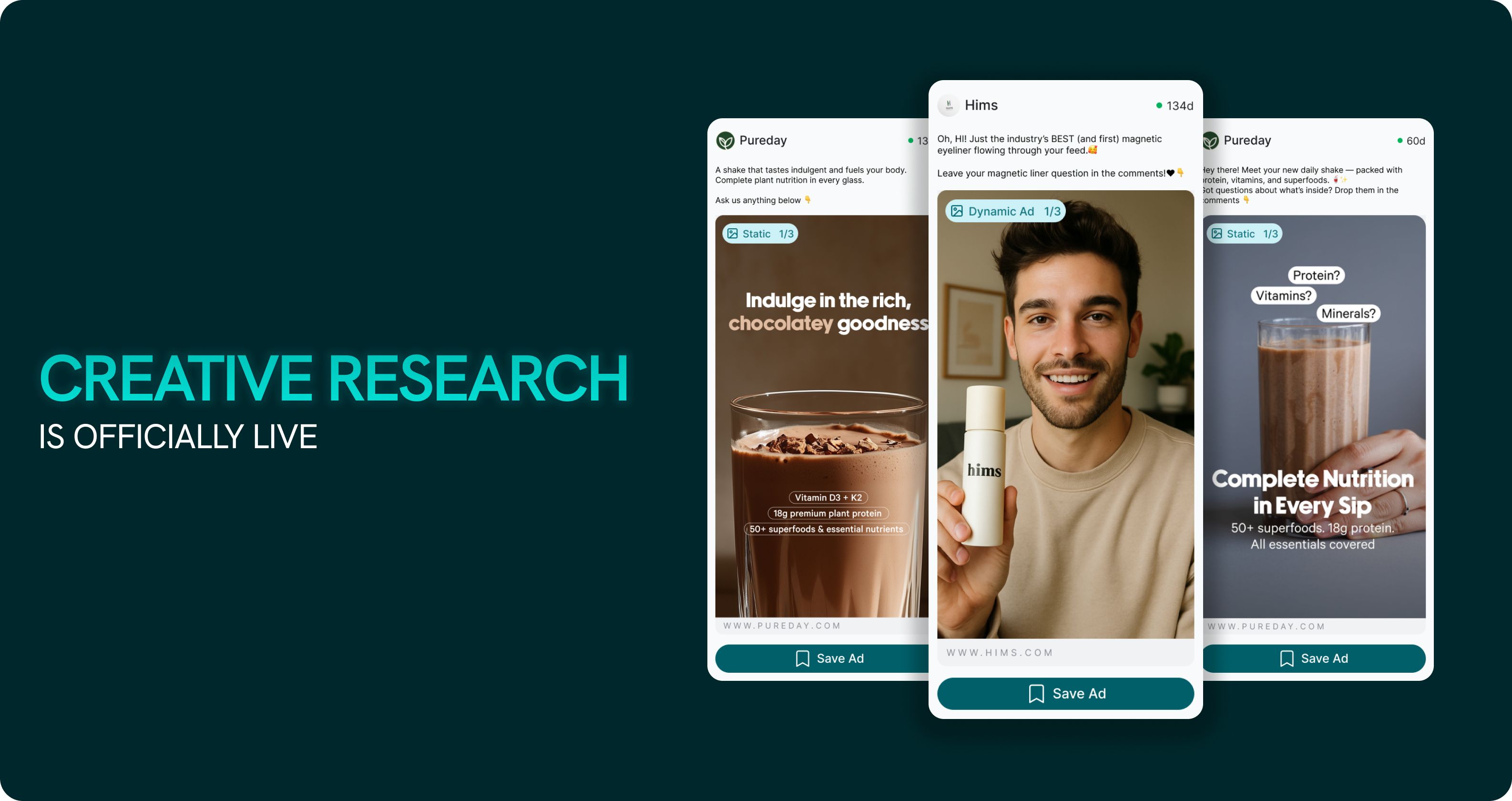
Doing competitor research today is painful.
You’re clicking through ad libraries manually. Watching videos one by one. Taking notes you’ll never revisit. By the time you’ve analyzed 5–10 ads, you’re exhausted.
That changes now.
This lets you search, analyze, and track ad creatives across competitor brands—without hopping between ad libraries or spreadsheets.

Here’s what you can do:
Search by brand, keyword, customer persona or website
Filter ads by brand, format, type, date, etc.
Analyse individual ads: hooks, CTA, creative style, emotional tone and angles
Spot creative trends at a category level
Whether you're scouting new hooks, understanding a competitor's strategy, or planning your next campaign — Creative Research gives you the clarity to move faster, and the insights to move smarter.
📢 Live Now.
Here is an example prompt you can use -
Analyze my top 3 competitor brands and outline a creative strategy based on what’s working for them, that I can implement to scale my brand.
February 11th, 2026
New

Running low on credits mid-task can be frustrating — especially when you're in the flow.
Starting today - we’ve introduced Top-Up Credits, a simple way to add extra credits when you need them.
🧾 Available for all paid plans
🔁 Top-up credits roll over (unlike monthly plan credits)
👥 Shared across your entire team
💡 Used only after monthly credits are consumed
Whether you’re pushing through a big week or collaborating with a growing team, top-ups help you stay productive — without upsell pressure or disruptions. It’s about making sure you can finish what you started — on your terms.
✅ Available now. Look out for it when you need it.

February 5th, 2026
New

Based on feedback, we are evolving our pricing to be more transparent and flexible with two major changes:
Usage-Based Credits: We are moving away from restrictive daily limits. You will now receive a monthly allotment of AI Credits to use as you see fit throughout the month.
Bundled Seats: GoMarble is great with teams, so we’re getting rid of team plans and seat-based pricing so that you can invite as many of your team members into your workspace without paying more.

To ensure a smooth transition, we are implementing a Credit Alignment Program for our existing users:
From Daily to Monthly: We have calculated your previous daily limits and converted them into a monthly credit total.
Automatic Crediting: Your account has been credited with the monthly AI Credits corresponding to your current subscription value.
Unlimited Connections: If you were previously limited by the number of ad accounts, those restrictions have been lifted in accordance with your new plan level.
January 30th, 2026
New

Doing competitor research today is painful.
You’re clicking through ad libraries manually. Watching videos one by one. Taking notes you’ll never revisit. By the time you’ve analyzed 5–10 ads, you’re exhausted.
That changes now.
This lets you search, analyze, and track ad creatives across competitor brands—without hopping between ad libraries or spreadsheets.

Here’s what you can do:
Search by brand, keyword, customer persona or website
Filter ads by brand, format, type, date, etc.
Analyse individual ads: hooks, CTA, creative style, emotional tone and angles
Spot creative trends at a category level
Whether you're scouting new hooks, understanding a competitor's strategy, or planning your next campaign — Creative Research gives you the clarity to move faster, and the insights to move smarter.
📢 Live Now.
Here is an example prompt you can use -
Analyze my top 3 competitor brands and outline a creative strategy based on what’s working for them, that I can implement to scale my brand.
November 12th, 2025

This week’s drop focuses on effortless collaboration for teams, plus a sturdier analysis engine under the hood.
Invite your teammates to a shared workspace where everyone can collaborate, analyze, and make decisions — together.
Here’s what you’ll get with Teams:
Invite your team to your workspace — bring everyone under one shared environment for marketing analysis and insights.

Collaborative features — share chats, reports, and projects with your teammates using the “Share with Team” option. Once shared, they’re instantly accessible to everyone in your team.

Additional Ad Accounts & Higher Ad Spend — for every teammate you add you will get get additional ad accounts and higher ad spend capacity that can be used at a team level.
Account Administration - Admins can add as well as review and revoke access to connected integrations
Shared Usage Quota — Every member gets their own quota, plus access to a shared team quota. When you hit your limit, you automatically use the shared quota.
Centralized billing — One invoice for the entire team, seat-based pricing
Why it matters:
Teams help you scale effortlessly — giving your organization shared context, unified data sources, and the flexibility to collaborate in real time. Whether you’re an agency, brand, or multi-channel marketing team, GoMarble Teams makes working together seamless.💡 Invite your teammates today and experience how effortless collaboration can be inside GoMarble.
We’ve upgraded the engine that powers GoMarble’s advanced analysis to make it more secure, stable, and consistent than ever.
Now your analyses run with:
Stronger protection — your data stays isolated and secure while being processed
Smoother performance — faster response times and more consistent results
Always-on reliability — improved monitoring keeps everything running seamlessly
In short, you’ll experience faster insights with stronger data safety — every single time you analyze.
That’s a wrap for this release — and we’re already working on what’s next!
💬 Join our Slack community for feedback, early previews, & support straight from the team.
💡 Got an idea or feature request? Share it here: portal.gomarble.ai
October 30th, 2025

This update brings new ways to organize and analyze inside GoMarble — with smarter tools, new integrations, and more flexibility for everyone.
💬 Join our Slack community for feedback, sneak peeks, and support.
Your TikTok data just got smarter. You can now directly integrate your TikTok Ads with GoMarble. Now you can instantly analyze your campaigns, & ads — all in one place.
See what’s performing, what’s not, and get AI-powered insights, summaries, and optimization tips — without leaving chat.
No more exports or dashboards. Just answers.

Our own new “Analysis Tool” is now live.
It helps GoMarble think more precisely and back insights with real calculations.
You can now analyze much more accurately :
📁 Project files
📎 Attachments
⚙️ Tool results
Now you will be getting deeper and more reliable answers — every time.
We know how quickly things can get messy when you’re managing multiple brands, campaigns, and data sources. That’s why we built Projects.
Here’s what you can do:
• Create a project for each brand, campaign, or client
• Upload files — brand guidelines, performance data, creative briefs, or reports
• Set project instructions once (like target audience, KPIs, or tone)
• Chat with full context — GoMarble automatically understands your project details and searches your files
• Keep all chats and reports neatly organized in one place
Why it matters:
No more re-explaining context, no more hunting for files.
Open your project, ask your question — GoMarble already knows what you’re working on.
🎥 Watch our 10-min walkthrough to - Get started with Projects.
You asked for more flexibility — and it’s here.
The new Free Plan lets you keep using GoMarble even after your trial ends.
Chat with your data, create reports, and explore insights at your own pace — no time limits or locked files.
Perfect for marketers who want to learn, and grow with GoMarble, commitment-free.
💬 Start with a new chat - You’ll now see an option to start a new chat without losing your previous context — so you can keep the flow going seamlessly, even after reaching your limit.
Stay in the zone, keep your insights connected, and never lose track of the conversation again.
🧾 You can now delete or rename reports anytime
📄 PDF uploads supported in attachements — ask questions, get insights, and summaries instantly
That’s all for this release — but more is just around the corner.
Next update drops next Thursday — stay tuned.