Changelog

Follow new updates and improvements to GoMarble AI.

July 4th, 2026

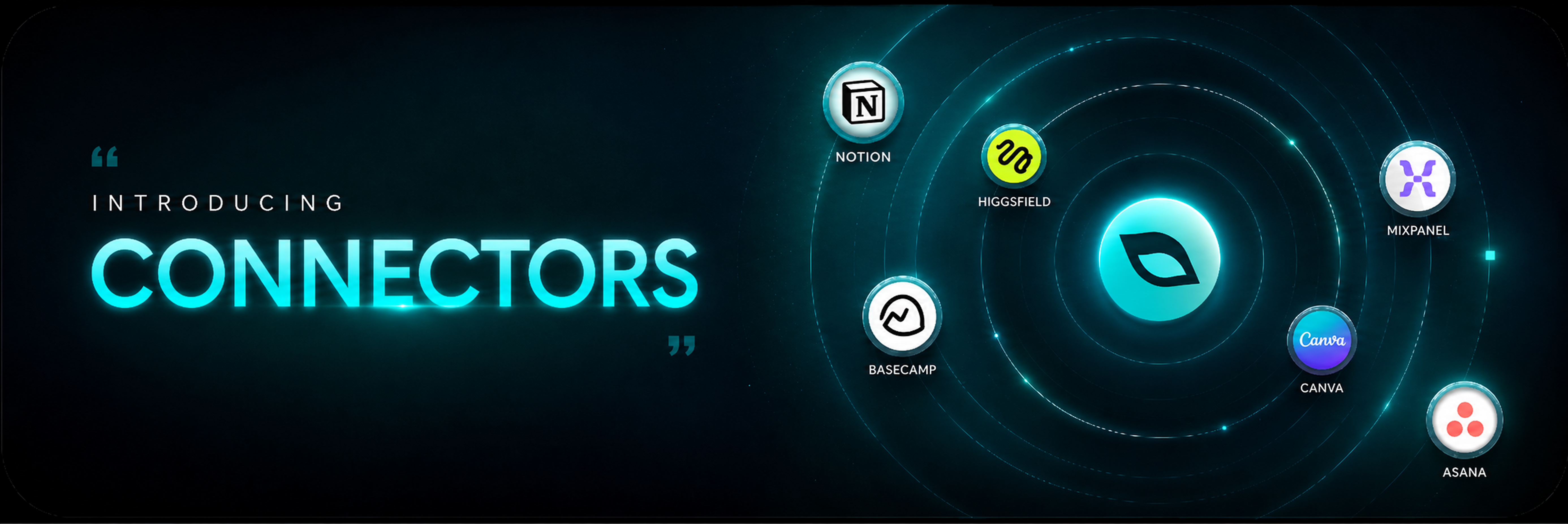
With Connectors, you can now connect any MCP-compatible tool to GoMarble, making it the central hub for your entire marketing workflow.

Imagine workflows like:

  • 🎨 Discover the creative patterns behind your best-performing ads, then generate fresh variations in Higgsfield.

  • 🎯 Calculate your true Meta CAC by combining Meta ad spend from GoMarble with conversion data from Mixpanel.

  • 📋 Turn campaign insights into actionable tasks in Basecamp—without copying briefs or context.

  • ⚡ Connect hundreds of MCP-compatible tools and build workflows that fit the way your team works.

Why it matters

Instead of jumping between disconnected tools, your marketing context travels with you. Every connected tool understands your campaigns, creatives, audiences, and performance—so you spend less time moving information and more time taking action.

Getting started is simple:
Go to Settings → Connectors, choose your tool, connect it, and you're ready to go.

👉 Connect your first MCP tool

Write a comment...

June 11th, 2026

A new and more intuitive way to automate the analyses and reports you run every week.

You can define a task once, set a schedule, and let GoMarble handle the rest.
→ Weekly Meta + Google performance report every Monday morning
→ Daily account brief waiting for you when you open your laptop
→ Alerts only when something needs attention

Results will be delivered directly to your inbox, Slack, or both:

Build your first agent →

NOTE: All of your existing scheduled reports have automatically been moved to the Agents section (available in the left hand menu, just below the Home button). Everything remains intact and will continue running as before.

Useful links:

Write a comment...

June 1st, 2026

GoMarble Referral Program is now live 🚀

You can now invite new users to GoMarble and earn rewards when they join and start a trial. Your friend gets an instant discount, and you receive a referral discount toward your next bill.

How does the GoMarble referral program work?

Share your unique referral link with your friends — when they join GoMarble and start a trial, both of you get 10% off their chosen plan.

  1. Share your link: Copy your unique referral link and share it with your friends.

  2. They sign up: Your friend uses your unique link to create their account.

  3. They get 10% OFF: They start a trial, and their 10% discount applies immediately.

  4. You get 10% OFF: You get your 10% discount once their trial successfully starts.

If you know marketers, founders, performance teams, or agencies that could benefit from GoMarble, you can now invite them and earn rewards on GoMarble.

Some quick details:

  • Your unique referral link: Click here or head over GoMarble → Settings → Referrals

  • Rewards Stacking: You can earn rewards for up to 5 successful referrals per billing cycle, knocking up to 50% off your monthly invoice!

  • Eligible plans: This applies to any of our eligible subscription plans (Plus, Pro, or Max).

You can read more about the GoMarble Referral Program on our Help Portal

Invite your friends now →

Write a comment...

April 20th, 2026

GoMarble Agent Mode can now launch Meta ads using prompts, with creatives pulled directly from Google Drive or your device.

Here's what launching a Meta campaign looks like with GoMarble:

→ Prompt GoMarble to launch new ads
→ Upload your creatives from Google Drive or your device
Answer Agent's clarifying questions
→ GoMarble analyzes your creatives and suggests primary text, descriptions, CTAs, UTMs, and more
→ Just Review and Launch!

Review Before Anything Goes Live

Every launch is proposed first. You see the full campaign → ad set → ad structure, every field, every creative, before approving. Edit what you need, approve what's right, reject what isn't — nothing ships to Meta until you say go.

Try these prompts now

  • Launch 4 ads to my existing campaign <campaign_name>

  • Pause my lowest performing campaign and launch a new campaign <campaign_name>

Read more about agent mode capabilities here

Write a comment...

February 17th, 2026

Doing competitor research today is painful.

You’re clicking through ad libraries manually. Watching videos one by one. Taking notes you’ll never revisit. By the time you’ve analyzed 5–10 ads, you’re exhausted.

That changes now.

Meet Creative Research

This lets you search, analyze, and track ad creatives across competitor brands—without hopping between ad libraries or spreadsheets.

Here’s what you can do:

  • Search by brand, keyword, customer persona or website

  • Filter ads by brand, format, type, date, etc.

  • Analyse individual ads: hooks, CTA, creative style, emotional tone and angles

  • Spot creative trends at a category level

Whether you're scouting new hooks, understanding a competitor's strategy, or planning your next campaign — Creative Research gives you the clarity to move faster, and the insights to move smarter.

📢 Live Now.

Here is an example prompt you can use -

Analyze my top 3 competitor brands and outline a creative strategy based on what’s working for them, that I can implement to scale my brand.

Try it out now →

Write a comment...